
Dell Inspiron 15 3000 Series Laptop Quick Start Guide.
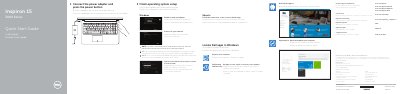
The Dell Inspiron 15 3000 Series quick start guide covers initial setup for the Inspiron 15-3559 laptop, including connecting the power adapter, pressing the power button, finishing operating system setup, connecting to a network, and locating Dell apps in Windows. It also lists the computer's features and shortcut keys.
The document provides support and manual links, contact information for Dell, regulatory and safety links, and NOM information with power-adapter voltage, frequency, and current values. Instructions are given in English, Dutch, and Spanish.
| Computer model | Inspiron 15-3559 |
|---|---|
| Power adapter input voltage | 100 V CA–240 V CA |
| Power adapter input frequency | 50 Hz–60 Hz |
| Input current | 1,30 A/1,60 A/1,70 A |
| Output voltage | 19,50 V CC |
| Output current | 2,31 A/3,34 A |
Connect the power adapter and press the power button.
Dell directs you to Specifications at Dell.com/support.
Enter the wireless network password when prompted.
Dell lists Dell.com/support/manuals for product support and manuals.