
The Dell Quick Start Guide provides step-by-step instructions on how to connect and set up your Dell computer.
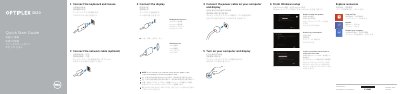
This quick start guide for the Dell OptiPlex 3020 desktop covers initial setup steps, including connecting the keyboard and mouse, optional network cable, power cables, and display. It also covers finishing Windows setup, enabling security and updates, signing in to a Microsoft account or creating a local account, and connecting to a network.
The guide lists the computer features and front-panel connectors, including USB 2.0, USB 3.0, DisplayPort, VGA, audio, network, and expansion card slots. It also provides links for product support, manuals, Windows 8 resources, contacting Dell, and regulatory and safety information. This manual is written in Chinese.
| Computer model | OptiPlex 3020 |
|---|---|
| Regulatory model and type | D15M, D08S; D15M001, D08S001 |
| Form factor variants | OptiPlex 3020 SFF, OptiPlex 3020 MT |
| USB connectors | USB 2.0 and USB 3.0 |
| Display connectors | DisplayPort and VGA |
| Document date | 2013-09 |
Connect the display to the discrete graphics card rather than another display port.
The guide identifies DisplayPort and VGA connectors.
You can log in to your Microsoft account or create a local account.
Support information is listed at dell.com/support and manuals at dell.com/support/manuals.