
This guide describes how to set up and use a Lenovo computer.
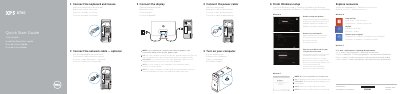
This quick start guide shows how to connect the keyboard, mouse, network cable, power cable, and display, turn on the computer, finish Windows setup, and enable security and updates. It also identifies XPS 8700 features and provides product support, contact, and regulatory information.
Windows 8 steps include signing in to a Microsoft account or creating a local account and connecting to a network. The guide includes feature callouts and regulatory details such as model D14M and power requirements.
| Regulatory model | D14M |
|---|---|
| Regulatory type | D14M001 |
| Computer model | XPS 8700 |
| Power supply voltage | 100 V AC-240 V AC |
| Power supply frequency | 50 Hz/60 Hz |
| Input current | 8.0 A/4.0 A |
| Country of origin | China |
| Optical-drive covers | 2 |
| Optical-drive eject buttons | 2 |
| USB 3.0 ports | 2 |
| USB 3.0 ports | 4 |
| USB 2.0 ports | 2 |
| Audio ports | 6 |
| Expansion-card slots | 4 |
Connect the display to the discrete graphics card.
No, do not use the @ symbol in your password.
Click Start, then All Programs, then Dell Help Documentation.
Sign in to a Microsoft account or create a local account.