
Inspiron 15-5555 Quick Start Guide
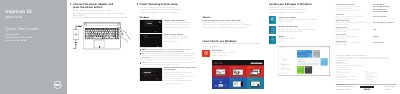
This two-page Dell quick start guide covers the first steps for the Inspiron 15-5555 computer (regulatory model P51F, regulatory type P51F002). It shows how to connect the power adapter and press the power button, then how to finish the operating system setup for Windows or Ubuntu, including enabling security and updates, connecting to a network, and signing in to a Microsoft account or creating a local account. It also points to product support, manuals and regulatory compliance pages at dell.com.
The second page lists the computer's features by number, from the microphones, camera and ports to the battery, service tag label and security-cable slot, and lists the shortcut keys for audio, media playback, display switching, search, keyboard backlight, brightness, Fn-key lock, wireless and sleep. A Mexican NOM notice gives the importer details, the voltage and frequency ratings and the regulatory model. Text is printed in English, Dutch, French and Spanish.
| Computer model | Inspiron 15-5555 |
|---|---|
| Regulatory model | P51F |
| Regulatory type | P51F002 |
| Power supply voltage | 100 V AC–240 V AC |
| Frequency | 50 Hz–60 Hz |
| Input current | 1.30 A / 1.60 A / 1.70 A |
| Output voltage | 19.50 V DC |
| Output current | 2.31 A / 3.34 A |
| Country of origin | Made in China |
Dell refers you to the Specifications page at dell.com/support for more information.
Enter the password for the wireless network access when prompted.
Enable security and updates, connect to your network, and sign in to your Microsoft account or create a local account.
The service tag label is listed among the computer's features on page 2.