
Dell Inspiron 14-3451 Laptop Quick Start Guide.
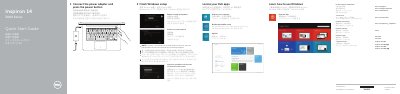
This guide helps you set up your Dell Inspiron 14-3451 laptop quickly. It covers completing Windows setup, connecting power, registering your computer, using Dell Backup and Recovery, accessing product support, enabling security and updates, connecting to networks, and signing in to your Microsoft account or creating a local account. The guide also lists hardware features and shortcut keys for immediate use.
The guide is bilingual, supporting multiple languages including Chinese, Japanese, Korean, and English. It includes diagrams of the laptop’s ports and components, and notes on regulatory compliance and model-specific features like the network port for Inspiron 3458. This manual is written in Chinese.
| Regulatory model | P60G |
|---|---|
| Regulatory type | P60G001 P60G002 |
| Computer model | Inspiron 14-3451 |
Enter the password for the wireless network access when prompted.
Ports include HDMI, USB 3.0, USB 2.0 (2), media card reader, network (only Inspiron 3458), headset, power adapter, and security cable slot.
Enable security and updates as part of the initial setup.