
The Dell™ Color Laser Printer 5110cn User's Guide provides information about the printer's features, options, and operation.
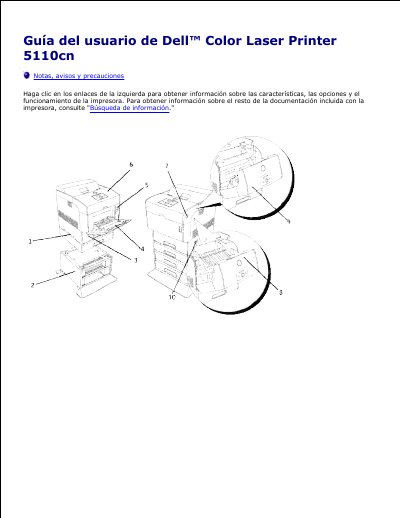
This Spanish-language user's guide for the Dell Color Laser Printer 5110cn describes the printer's parts, including the standard 500-sheet tray, optional 500-sheet and 1000-sheet tray modules, multipurpose feeder, front cover, side button, operator panel, and main switch.
It explains the different information sources for the printer, how to find the Express Service Code and Service Tag, and how to use the Dell Printer Configuration Web Tool for printer status, jobs, settings, Dell ColorTrack, tray settings, e-mail alerts, and password protection. This manual is written in Spanish.
| Maximum trays supported | 4 trays |
|---|---|
| Standard tray capacity | 500 sheets |
| Optional 1000-sheet tray module | 1000 sheets |
It supports up to four trays: the standard 500-sheet tray and the optional 500-sheet and 1000-sheet tray modules.
They are located inside the front door of the printer.
Lift the front latch to open the front cover.
You can use it to change printer settings and track printing trends, among other tasks.