
The Dell™ E-Port Plus User’s Guide describes how to set up and use the Dell™ E-Port Plus.
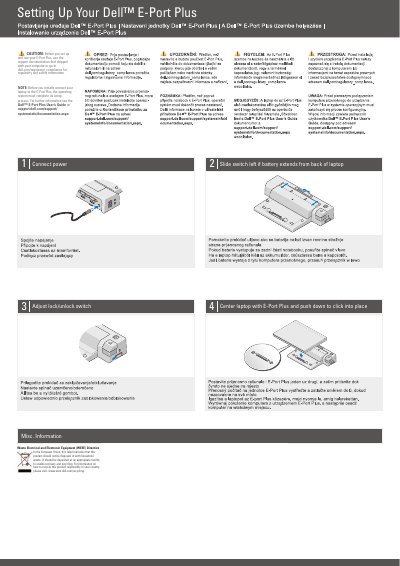
This document serves as a user's guide for the Dell E-Port Plus, an accessory designed to connect to a laptop. It outlines the necessary steps for setting up the device, including connecting power, adjusting the slide switch for battery extension, and centering the unit on the laptop to click it into place. Users are advised to consult the support documentation that shipped with their computer or visit the Dell support website for regulatory and safety information before initial connection.
The operating system must complete its setup process before you initially connect your laptop to the E-Port Plus.
Slide the switch left if the battery extends from the back of the laptop.
Center the laptop with the E-Port Plus and push down until it clicks into place.
It indicates the product should not be disposed of with household waste and should be deposited at an appropriate facility for recovery and recycling.