
This guide describes how to use Lenovo ideapad laptops.
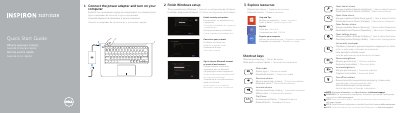
This is the multilingual quick start guide for the Dell Inspiron 3137/3138 computer, with text given in English, Greek, Portuguese, Romanian and Spanish. The first page explains keyboard shortcut functions such as muting audio, lowering and raising the volume, play/pause, decreasing and increasing brightness, turning the wireless on or off, opening the Search, Share, Devices and Settings charms, and listing recently used apps. It then walks through initial setup: connect the power adapter and turn on the computer, finish Windows setup (enable security and updates, sign in to a Microsoft account or create a local account, connect to your network), and explore resources such as Help and Tips, My Dell, registering your computer and shortcut keys.
The second page lists product support and manuals at dell.com/support, dell.com/support/manuals and dell.com/windows8, how to contact Dell, and where to find regulatory and safety information. It identifies the computer model as Inspiron 3137/3138 with regulatory model and type P19T / P19T001/P19T003, and provides numbered feature callouts for the camera-status light, camera, digital microphones, security-cable slot, network port, USB 2.0 and USB 3.0 ports, media-card reader, right-click and left-click areas, hard-drive activity light, power and battery-status light, headset port, HDMI port, power-adapter port, power button, regulatory label and Service Tag label.
| Computer model | Inspiron 3137/3138 |
|---|---|
| Regulatory model and type | P19T, P19T001/P19T003 |
| USB 3.0 | 1 port |
| USB 2.0 | 2 ports |
| HDMI | 1 port |
| Network port | 1 port |
| Media-card reader | 1 reader |
| Digital microphones | 2 |
It covers the Dell Inspiron 3137/3138 computer, regulatory model and type P19T/P19T001/P19T003.
Dell points to dell.com/support for support and dell.com/support/manuals for manuals.
Contact information is available at dell.com/contactdell.
Regulatory and safety details are provided at dell.com/regulatory_compliance.