
This document describes how to set up a Dell wireless keyboard and mouse.
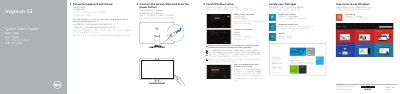
This two-page quick start guide from Dell covers the initial setup of the Inspiron 2350 computer. It walks through connecting the power cable and pressing the power button, setting up the wireless keyboard and mouse, finishing Windows setup, locating Dell apps such as My Dell and Dell Backup and Recovery, connecting to a network, and signing in to a Microsoft account or creating a local account. Each step is repeated in English, Chinese, Japanese and Korean.
The back page lists product support and contact links (dell.com/support, dell.com/support/manuals, dell.com/contactdell), regulatory and safety information, the regulatory model W07C and type W07C002, and a numbered features diagram identifying the cameras, microphones, ports, buttons and labels on the computer. A note covers entering a password when connecting to a secured wireless network, and the stand sections show tilt and transform positions.
| Computer model | Inspiron 2350 |
|---|---|
| Regulatory model | W07C |
| Regulatory type | W07C002 |
| USB 3.0 ports | 2 + 2 |
| USB 2.0 ports | 2 |
| HDMI ports | HDMI-out port and HDMI-in port |
| Microphones | 2 |
| Camera | Intel RealSense 3D Camera, optional |
| Media-card reader | 1 |
| Headset port | 1 |
| Audio-out port | 1 |
| Network port | 1 |
Select the network you want and connect to it; if the network is secured, enter the wireless network password when prompted.
Dell lists product support and manuals at dell.com/support and dell.com/support/manuals.
They are in the documentation that shipped with the wireless keyboard and mouse.
The regulatory model is W07C and the regulatory type is W07C002.