
Dell Inspiron 5000 Series Notebook Quick Start Guide
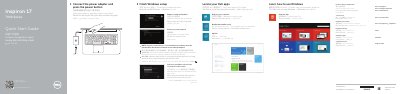
This Dell Inspiron 17 7000 Series (Inspiron 7746) notebook quick start guide gives setup steps in English, Chinese, Indonesian, Vietnamese, and Arabic. It covers connecting the power adapter, turning on the computer, finishing Windows setup, locating Dell apps, registering the computer, enabling security and updates, connecting to a network, and signing in with a Microsoft account or creating a local account.
The guide also lists the computer’s features and ports, including the camera, microphones, power button, HDMI port, network port, USB ports, media-card reader, headset port, optical drive, and security-cable slot. It includes shortcut keys for audio, volume, media playback, search, share, devices, settings, app list, keyboard backlight, brightness, and wireless, plus Dell support and contact information.
| HDMI port | 1 |
|---|---|
| Network port | 1 |
| USB 3.0 port with PowerShare | 1 |
| USB 2.0 ports | 2 |
| Media-card reader | 1 |
| Optical drive | 1 |
Connect the power adapter and press the power button.
Enter the password for the wireless network access when prompted.
The guide says to see Specifications at dell.com/support.
Dell provides product support and manuals at dell.com/support and dell.com/support/manuals.