
OptiPlex 7050 Micro Quick Start Guide.
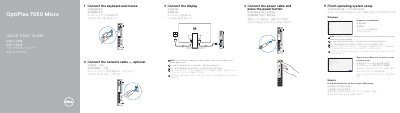
This guide helps you connect peripherals like keyboard, mouse, display, and power. It also covers OS setup for Windows or Ubuntu, signing in to Microsoft or creating a local account, and locating Dell apps. The second page lists all physical ports and features including USB 3.0, HDMI, DisplayPort, and Kensington lock.
The guide includes regulatory info and support links for Dell and Microsoft, with compliance details for RoHS standards and model D10U.
| Regulatory Model | D10U |
|---|---|
| Regulatory Type | D10U002 |
| Rated Voltage | 100 - 240 volts |
| Rated Frequency | 50 - 60 Hz |
| Rated Input Current | 4 amps |
Connect the display to the discrete graphics card if your computer has one.
Ports include USB 3.0 Type-C, USB 3.0 (with PowerShare), HDMI, DisplayPort, VGA, PS/2, serial, and Kensington lock.
Follow on-screen instructions for Windows or Ubuntu to complete setup.