
The Dell OptiPlex 3046 Mini Tower Quick Start Guide provides information on how to set up and use the Dell OptiPlex 3046 Mini Tower computer.
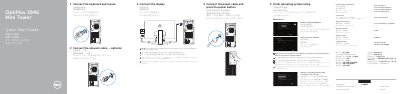
This Dell quick start guide helps set up the OptiPlex 3046 Mini Tower desktop computer. It explains how to connect the keyboard, mouse, display, network cable, and power cable, then complete operating system setup and enable security and updates.
The document identifies computer features such as USB 2.0 and USB 3.0 connectors, HDMI, DisplayPort, VGA, audio jacks, expansion-card slots, and the power-supply diagnostic button. It also lists regulatory model D18M, regulatory type D18M002, and computer model OptiPlex 3046 MT.
| Computer model | OptiPlex 3046 MT |
|---|
Connect the display to the discrete graphics card.
Enter the password for the wireless network access when prompted.
Follow the instructions on the screen to finish setup.