
The Dell Latitude 5590 Quick Start Guide introduces the features and specifications of the product, including support for dual-core (7th Gen Intel® Core™) and quad-core (8th Gen Intel Core) processors, and support for up to 2400 MHz DDR4 memory with 8th Gen Intel Core processors.
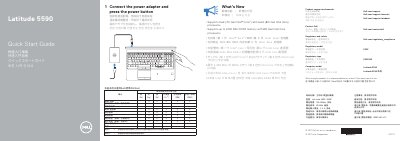
The Dell Latitude 5590 is a laptop that supports Dual (7th Gen Intel Core) and Quad (8th Gen Intel Core) processors. This guide provides essential instructions for initial power-on and identifies the device's external hardware components.
The document includes a detailed map of the laptop's features, including various ports, sensors, and optional components such as the IR camera and fingerprint reader.
| Processor Support | Dual (7th Gen Intel Core) and Quad (8th Gen Intel Core) |
|---|---|
| Memory Support | Up to 2400 MHz DDR4 (with 8th Gen Intel Core) |
| Rated Voltage | 100-240Vac |
| Rated Frequency | 50/60Hz |
| Rated Input Current | 2.5 A |
Connect the power adapter and press the power button.
Connect the power adapter and press the power button.
It supports up to 2400 MHz DDR4 memory.
It is recommended to use at least 1.5cm away from the user.