
The Dell Latitude 11 Education Series Quick Start Guide provides information on how to connect the power adapter, finish Windows setup, enable security and updates, connect to a network, sign in to a Microsoft account or create a local account, locate Dell apps, register your computer, use Dell Backup and Recovery, get product support and manuals, and contact Dell.
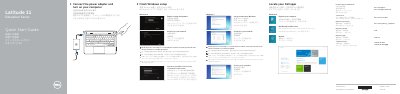
This is the two-page quick start guide for the Dell Latitude 11-3160 Education Series computer. It walks through the first steps of setting up the computer: connecting the power adapter and turning the computer on, finishing Windows setup, connecting to a network, signing in with a Microsoft account or creating a local account, and locating Dell apps such as My Dell, Dell Backup and Recovery, and product support and manuals.
The guide also lists the computer's features with numbered callouts, including the microphones, camera, speakers, power button, USB 3.0 ports, SD-card reader, HDMI port, RJ45 port and the status lights. Regulatory model P21T, regulatory type P21T002 and the support, contact and regulatory web addresses are given at the end.
| Computer model | Latitude 11-3160 |
|---|---|
| USB ports | USB 3.0 port |
| Video port | HDMI port |
| Network port | RJ45 port |
| Card reader | SD-card reader |
Connect the power adapter and then turn on the computer.
Enter the password for the wireless network access when prompted.
Dell directs you to its support manuals page at dell.com/support/manuals.
Sign in to your Microsoft account or create a local account.