
The Latitude 3380 Quick Start Guide provides instructions on how to connect the power adapter, finish operating system setup, locate Dell applications, and use SupportAssist to check and update your computer.
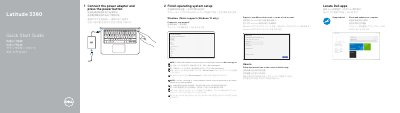
This is Dell's two-page quick start guide for the Latitude 3380 computer (regulatory model P80G, regulatory type P80G001). It is printed in several languages and walks through the first steps: connect the power adapter and press the power button, finish operating system setup for Windows (noted as Windows 10 only) or Ubuntu, sign in with a Microsoft account or create a local account, and locate Dell apps such as SupportAssist to check and update the computer.
The second page lists the numbered features of the machine, from microphones, camera and power button to the Noble Wedge lock slot, USB 3.0 ports, microSD card reader, HDMI and network ports, and the service tag label. It also gives Dell support, contact and regulatory web addresses, the regulatory model and type, the Taiwan RoHS declaration, and a note pointing to the Owner's Manual at Dell.com/support for SIM card installation instructions.
| Computer model | Latitude 3380 |
|---|---|
| Regulatory model | P80G |
| Regulatory type | P80G001 |
| Rated voltage | 100 - 240 V AC |
| Rated frequency | 50 - 60 Hz |
| Rated input current | 1.6 A / 1.7 A |
| Supported operating system | Windows 10 only (Ubuntu setup also described) |
| USB | USB 3.0 ports, one with PowerShare |
| Video port | HDMI port |
| Card reader | microSD card reader |
Connect the power adapter and press the power button, then finish operating system setup on screen.
The guide notes that the computer supports Windows 10 only.
They are in the Owner's Manual, available at Dell.com/support.
Dell points to Dell.com/support for support and Dell.com/support/manuals for manuals.