
OptiPlex 3046 Small Form Factor Quick Start Guide
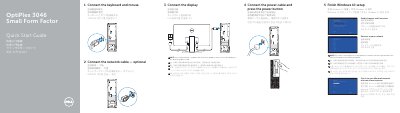
This two-page quick start guide from Dell shows how to set up the OptiPlex 3046 Small Form Factor computer. It walks through connecting the keyboard and mouse, the optional network cable, the power cable and the display, then finishing Windows 10 setup, enabling Support and Protection, connecting to a network and signing in with a Microsoft account or creating a local account. A note explains that if the computer was ordered with a discrete graphics card, the display should be connected to that card.
The second page is a labeled illustration of the computer's features, numbered 1 to 21 and given in English, Chinese, Japanese and Korean. The labels cover the optical-drive bay, USB 2.0 and USB 3.0 connectors, power button and light, line-out and headphone connectors, hard-drive activity light, HDMI, DisplayPort and optional VGA connectors, optional memory card reader, expansion-card slots, power connector, power-supply diagnostic button and light, cable-cover lock slot, network connector, security-cable slot and padlock ring. The page also lists Dell support, contact and regulatory web addresses, plus regulatory model D11S and computer model OptiPlex 3046 SFF.
| Computer model | OptiPlex 3046 SFF |
|---|---|
| Regulatory model | D11S |
| Rated voltage | 100 - 240 V AC |
| Rated frequency | 50/60 Hz |
| Rated input current | 3.0 A |
| Display connectors | HDMI, DisplayPort, optional VGA |
Connect the display as shown in step 4. If the computer was ordered with a discrete graphics card, connect the display to that card instead.
Press the power button, then continue with the Windows 10 setup steps.
Dell lists its support, manuals, Windows and contact pages at the bottom of the guide.
Enter the password for the wireless network access when prompted.