
Quick Start Guide for Lenovo laptop
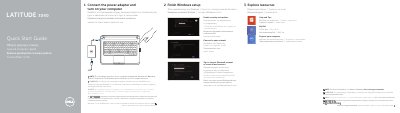
This is a two-page multilingual quick start guide for the Dell Latitude 3340 laptop. It gives the initial steps to connect the power adapter, turn on the computer, and finish Windows setup, with a note that the instructions apply to computers shipped with Windows 8.1 and that Windows 7 and Ubuntu users should follow the onscreen setup instructions.
The guide also labels the laptop features from 1 to 18, including the microphones, camera, power button, USB 3.0 connectors, audio connector, memory card reader, touchpad, speakers, Mini DisplayPort, HDMI, air vents, network connector, and power connector. It lists Dell support and manual links, contact information, and regulatory and safety links.
| Computer model | Dell Latitude 3340 |
|---|---|
| USB connectors | USB 3.0 connector; USB 3.0 connector with PowerShare |
| Video connectors | Mini DisplayPort connector; HDMI connector |
| Memory card reader | Memory card reader |
| Security cable slot | Security cable slot |
Connect the power adapter and turn on your computer.
Dell points to the Owner’s Manual at dell.com/support/manuals.
The instructions are for computers shipped with Windows 8.1; for Windows 7 and Ubuntu, users should follow the onscreen setup instructions.
The feature list includes USB 3.0 connector, USB 3.0 connector with PowerShare, Mini DisplayPort connector, HDMI connector, and network connector.