
The Dell OptiPlex 7450 All-in-One Quick Start Guide introduces the features and functions of the Dell OptiPlex 7450 All-in-One.
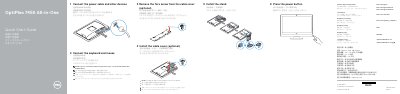
This quick start guide provides step-by-step instructions for setting up the Dell OptiPlex 7450 All-in-One desktop. It covers connecting the power cable, keyboard, and mouse, optionally installing the cable cover and stand, and pressing the power button to turn on the system.
The guide also includes a features diagram labeling all ports and components, instructions for completing Windows 10 setup such as network connection and Microsoft account sign-in, and information on Dell support apps like SupportAssist. Regulatory details and RoHS compliance data for Taiwan are provided at the end.
| Rated voltage | 100-240 V AC |
|---|---|
| Rated frequency | 50-60 Hz |
| Rated input current | 3.0 A |
Follow step 1 to connect the power cable and other devices as shown in the guide.
No, securing the cable cover by using the Torx screw is optional.
The listed optional features include the camera, camera privacy latch, camera status light, optical drive, and HDMI-in port.
The rated input current is 3.0 A.