
Dell™ B2375dfw / B2375dnf Mono MFP Quick Reference Guide
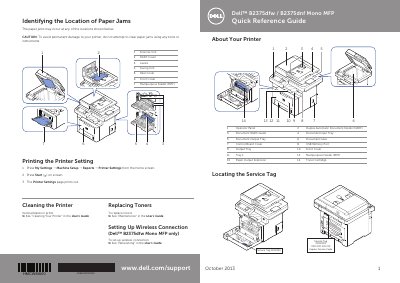
This Dell B2375dfw/B2375dnf Mono MFP Quick Reference Guide identifies printer parts and the service tag location, explains operator panel buttons and status LED behavior, and shows where paper jams can occur. It also covers printing printer settings, cleaning, replacing toner, loading letterhead and envelopes, and setting up a wireless connection on the B2375dfw model.
The guide includes English, French, and Spanish sections and refers readers to the User's Guide for more detailed procedures, including clearing jams, solving printing problems, and clearing LCD error messages.
| Document feeder | Duplex Automatic Document Feeder (DADF) |
|---|---|
| Wireless connection | Dell B2375dfw Mono MFP only |
From the home screen, press My Settings → Machine Setup → Reports → Printer Settings, then press Start on the screen. The Printer Settings page prints out.
The guide covers wireless connection setup for the Dell B2375dfw Mono MFP only.
See "Clearing Jams" in the User's Guide.
See "Cleaning Your Printer" in the User's Guide.