
This guide describes how to set up the keyboard and mouse, connect the network cable, connect the power cord and turn on the computer, finish Windows setup, enable security and updates, sign in to your Microsoft account or create a local account, and connect to your network.
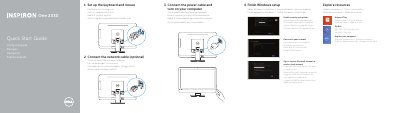
This Dell Inspiron One 2330 Quick Start Guide gives setup steps for the computer. It covers setting up the keyboard and mouse, connecting the network cable if needed, connecting the power cable, turning on the computer, and finishing Windows setup. It also describes enabling security and updates, signing in to a Microsoft account or creating a local account, connecting to a network, and exploring resources. The instructions appear in Danish, Finnish, Norwegian, Swedish, and English.
The guide lists product support and manuals links, Dell contact information, and regulatory and safety information. It identifies regulatory model W05C and computer model Inspiron One 2330, and its Features section names the computer’s buttons, ports, camera, microphones, optical drive, media-card reader, and security-cable slot.
| Computer model | Inspiron One 2330 |
|---|---|
| USB 3.0 ports | 2 |
| USB 2.0 ports | 2 |
| Brightness-control buttons | 2 |
| VGA-in port | Optional |
| HDMI-in port | Optional |
| Input-source selection | Optional |
The guide identifies the computer model as Inspiron One 2330.
Dell lists dell.com/support/manuals for product manuals and support resources.
The guide lists dell.com/contactdell for contacting Dell.
Yes. The guide labels the network cable connection as optional.