
Dell Precision 5520 Laptop Quick Start Guide

The Dell Precision 5520 Quick Start Guide provides instructions on how to set up and use the Dell Precision 5520 laptop.
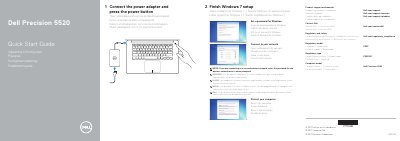

Dell Precision 5520 Laptop Quick Start Guide - cover page
Brand
DELL
Category
Laptops
Document type
Quick Start Guide
Language
English
Pages
2
File format
PDF
File size
223 KB
Published
25 November, 2023
Updated
25 November, 2023
MD5 checksum
A168C8E6A0FBE306C76499B895B46CF6

About this manual

This Quick Start Guide for the Dell Precision 5520 computer provides basic setup instructions. It covers connecting the power adapter, turning on the computer, and completing the initial Windows 7 setup.

The guide also describes setting a Windows password, connecting to a network, and protecting the computer. It lists Dell support websites, contact information, regulatory details, and a numbered diagram of the computer's features and ports.

What's inside

  • Connect the power adapter and press the power button
  • Finish Windows 7 setup
  • Set a password for Windows
  • Connect to your network
  • Protect your computer
  • Product support and manuals
  • Contact Dell
  • Regulatory and safety
  • Features

Frequently asked questions

How do I start the Dell Precision 5520?

Connect the power adapter and press the power button.

What operating system setup is required?

Finish the Windows 7 setup and set a password for Windows.

Where can I find product support and manuals?

Visit Dell.com/support and Dell.com/support/manuals for product support and manuals.

Download PDF (223 KB)

More DELL Manuals


View all DELL manuals →