
The Dell Inspiron 24-5459 Quick Start Guide describes how to connect the power adapter, press the power button, and set up the keyboard and mouse.
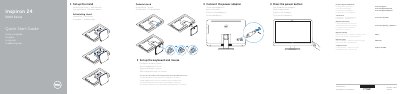
This Quick Start Guide covers the Dell Inspiron 24-5459 computer. It provides setup steps in Danish, English, Finnish, Norwegian, and Swedish, including connecting the power adapter, pressing the power button, and setting up the keyboard and mouse.
The document lists product features such as cameras, microphones, media-card reader, USB ports, headset port, network port, HDMI ports, audio-out port, power button, screen-off button, brightness buttons, and optional optical drive. It also explains finishing Windows setup, creating a password, connecting to a network, and protecting the computer.
| Computer model | Inspiron 24-5459 |
|---|---|
| USB 3.0 ports | 2 |
| USB 2.0 ports | 4 |
| Optical drive | Optional |
Connect the power adapter, then press the power button to turn on the computer.
The computer model is Inspiron 24-5459.
Finish Windows setup, set up a password for Windows, and connect to your network.