
This document is a quick start guide for Dell laptop, describing how to set up and use the laptop.
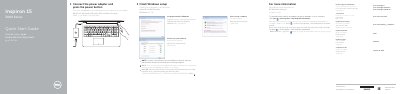
This quick start guide helps set up the Dell Inspiron 15 3000 Series laptop, including connecting the power adapter, finishing Windows setup, setting a Windows password, and connecting to a network.
It also identifies shortcut keys, ports, and controls, and directs users to Dell support and manuals for additional information.
| Regulatory model | P47F |
|---|---|
| Regulatory type | P47F004 |
| USB 2.0 ports | 2 |
Connect the power adapter and press the power button.
Enter the password for the wireless network access when prompted.
Click Start → All Programs → Dell Help Documentation.
Visit Dell.com/support, Dell.com/support/manuals, and Dell.com/support/windows.