
Dell 7130cdn Professional Color Printer Quick Start Guide

Troubleshooting guide for the Dell 7130cdn Professional Color Printer.
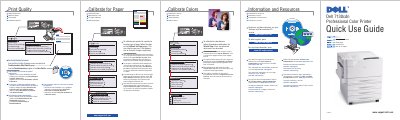

Dell 7130cdn Professional Color Printer Quick Start Guide - cover page
Brand
DELL
Category
Printer
Document type
Quick Start Guide
Language
English
Pages
2
File format
PDF
File size
7.6 MB
Published
25 November, 2023
Updated
25 November, 2023
Model
7130cdn
MD5 checksum
49B7766639799ED6D7D950C319A6102C

About this manual

This Dell quick start guide supports the Dell 7130cdn Professional Color Printer and provides troubleshooting help for print-quality problems. It is presented in English, French, Italian, German, and Spanish.

It explains how to calibrate colors and paper, change paper types on the control panel, and lists supported paper sizes and weights for Trays 1 through 5.

What's inside

  • Troubleshooting
  • Ready To Print
  • Print Quality Problems
  • Calibrate Colors
  • Calibrate for Paper
  • Print Quality
  • Supported Papers
  • Basic Printing
  • Changing Paper Type

Specifications

Plain Paper weight (Trays 1-5)67 – 90 g/m2 (20 – 24 lb. Bond)
Extra Thick Card Stock weight (Tray 1 MPT)257 – 280 g/m2 (90 – 100 lb. Cover)
Supported paper sizeLetter 8.5 x 11.0 in.

Frequently asked questions

What should you do if you change the paper type in a tray?

You must change the paper type on the control panel to match the loaded paper.

How do you calibrate the printer for a particular brand or type of paper?

Follow the steps on the Calibrate for Paper pages.

Where can you find drivers and documentation?

Use the Software and Documentation CD or visit www.support.dell.com.

Download PDF (7.6 MB)

More DELL Manuals


View all DELL manuals →