
Dell OptiPlex 9030 AIO Quick Start Guide

The Dell OptiPlex 9030 All-in-One Quick Start Guide provides information on how to set up and use the Dell OptiPlex 9030 All-in-One.
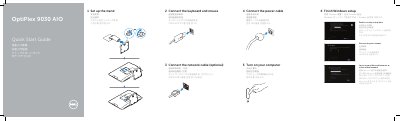

Dell OptiPlex 9030 AIO Quick Start Guide - cover page
Brand
DELL
Category
All-in-One Desktops
Document type
Quick Start Guide
Language
English
Pages
2
File format
PDF
File size
835 KB
Published
25 November, 2023
Updated
25 November, 2023
MD5 checksum
BA7F9E80B53C23DA7FD1D1DC522DED89

About this manual

This Dell OptiPlex 9030 AIO Quick Start Guide explains how to set up the computer, including connecting the power cable, keyboard, mouse, and network, then turning on the system.

It also shows the feature locations, lists support websites such as dell.com/support, and provides regulatory model information for the OptiPlex 9030 AIO series.

What's inside

  • Enable security and updates
  • Finish Windows setup
  • Connect to your network
  • Connect the power cable
  • Turn on your computer
  • Connect the keyboard and mouse
  • Set up the stand
  • Features
  • Product support and manuals
  • Regulatory and safety

Frequently asked questions

What is the computer model?

The computer model is OptiPlex 9030 AIO.

Where can users find product support and manuals?

Product support and manuals are available at dell.com/support and dell.com/support/manuals.

Is connecting the network cable optional?

Yes, connecting the network cable is optional.

Download PDF (835 KB)

More DELL Manuals


View all DELL manuals →