
OptiPlex 5055 Small Form Factor Quick Start Guide
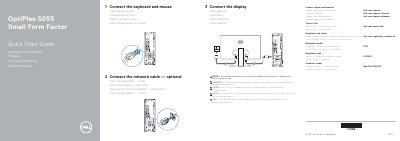
This Dell Quick Start Guide provides setup instructions for the OptiPlex 5055 Small Form Factor computer. It covers connecting the keyboard and mouse, an optional network cable, the display, and the power cable, then pressing the power button.
The document lists system features such as USB ports, DisplayPorts, audio and serial ports, PS/2 ports, a network port, expansion card slots, and security slots. It also includes Dell support contacts, regulatory model D11S, and regulatory type D11S003.
| Computer model | OptiPlex 5055 SFF |
|---|---|
| Optical drive | Optional |
| Memory card reader | Optional |
| VGA port | Optional |
Connect the display to the discrete graphics card.
The computer model is OptiPlex 5055 SFF.
Yes, the optical drive is optional.