
OptiPlex 5055 Tower Quick Start Guide
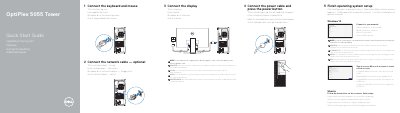
This Dell OptiPlex 5055 Tower Quick Start Guide provides setup instructions for the Dell computer. It covers connecting the keyboard, mouse, network cable, display, and power cable, then turning on the system.
The guide also explains how to finish operating system setup for Windows 10 or Ubuntu, sign in to a Microsoft account, locate Dell apps, and use SupportAssist. A numbered features list identifies the computer's ports, buttons, and slots.
| Model | OptiPlex 5055 Tower |
|---|---|
| Optical drive | Optional |
| Memory card reader | Optional |
Connect the display to the discrete graphics card.
Enter the password for the wireless network access when prompted.
Visit Dell.com/support or Dell.com/support/manuals.