
The Dell Vostro 14 5000 Series Quick Start Guide provides information on how to set up and use your Dell Vostro 14 5000 Series laptop.
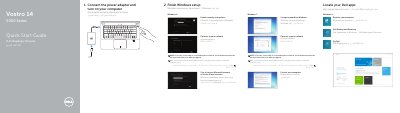
This Dell quick start guide covers the Vostro 14 5000 Series laptop (computer model Vostro 14-5480, regulatory model P41G, regulatory type P41G002). It walks through connecting the power adapter and turning on the computer, finishing Windows setup, enabling security and updates, connecting to a network, and signing in with a Microsoft account or creating a local account, with a note that a password is required when connecting to a secured wireless network.
Later steps cover locating Dell apps such as My Dell and Dell Backup and Recovery, registering the computer, setting a password for Windows and protecting the computer, with Windows 7 and Windows 8 references. The back page lists the numbered laptop features, from the camera-status light and power button to the HDMI, USB 3.0, network and headset connectors, and points to the Owner's Manual at dell.com/support/manuals.
| Video connector | HDMI connector |
|---|---|
| USB ports | USB 3.0 connectors (one with PowerShare) |
| Network connector | Network connector |
| Audio connector | Headset connector |
| Card reader | Memory card reader |
| Security | Security-cable slot |
| Audio | Sub-woofer speaker and speakers |
Enter the password for the wireless network access when prompted.
The guide points to the Owner's Manual at dell.com/support/manuals.
Yes, one of the setup steps is setting up a password for Windows.
No, the fingerprint reader application is not available for Windows 7 OS by default.