
The Dell Latitude 14 3480 3000 Series Quick Start Guide provides information on how to use the laptop.
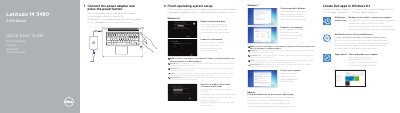
This Quick Start Guide for the Dell Latitude 14 3480 3000 Series helps users set up the computer, locate Dell apps in Windows 8.1, and use tools such as Dell Backup and Recovery, Dell Data Protection | Protected Workspace, and SupportAssist. It also covers finishing operating system setup, enabling security and updates, connecting to a network, and signing in to a Microsoft account.
Page 2 lists system features including the camera, microphone, power button, Noble Wedge security cable slot, VGA, USB, memory card reader, fingerprint reader, speakers, touchpad, headset/microphone jack, HDMI, network port, and power adapter port. It also provides Dell support websites, contact information, and regulatory details such as regulatory model P79G and computer model Latitude 14-3480.
Enter the password for the wireless network access when prompted.
Visit Dell.com/support, Dell.com/support/manuals, Dell.com/support/windows, or Dell.com/support/linux.