
The Dell Latitude 3590 Quick Start Guide introduces the features and functions of the product.
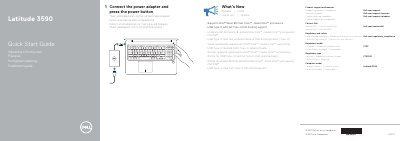
This guide provides initial setup instructions for the Dell Latitude 3590 notebook, including connecting the power adapter and pressing the power button. It also lists product support URLs and regulatory compliance details such as the regulatory model P75F and regulatory type P75F001.
The document highlights new features like support for Intel 8th Generation Core i Quad Core processors and USB Type‑C with full Dell docking support. A detailed diagram identifies 24 components including camera, microphones, ports (VGA, USB 2.0, USB 3.1 Gen 1, USB 3.1 Gen 1 Type‑C/DisplayPort, HDMI, network), card slots, fingerprint reader, touchpad, battery-status/hard-drive activity light, power adapter port, speakers, and service tag label.
| Processor support | Intel 8th Generation Core i Quad Core |
|---|---|
| USB Type‑C docking | Full Type‑C Dell docking support |
| Release date | 2017-11 |
It supports Intel 8th Generation Core i Quad Core processors.
Visit Dell.com/support or Dell.com/support/manuals for product support and manuals.