
OptiPlex 7050 Tower Quick Start Guide
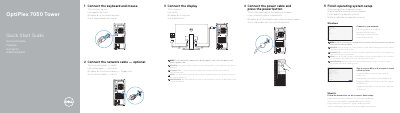
The Dell OptiPlex 7050 Tower Quick Start Guide provides multilingual setup steps for connecting the keyboard and mouse, optional network cable, display, power cable, and completing operating system setup. It also covers locating Dell apps such as SupportAssist and lists the computer's ports and features.
The guide includes support and contact information, regulatory and safety references, and the regulatory model D18M and regulatory type D18M003. It is a short two-page setup document for the OptiPlex 7050 Tower.
| External bay | 5.25-inch |
|---|---|
| Optical drive | Optional |
| USB 2.0 port | With PowerShare |
| USB 3.0 Type-C port | Present |
| Memory card reader | Optional |
| HDMI port | Present |
| VGA port | Optional |
| Network port | Present |
| Power supply diagnostic light | Present |
Connect the display to the discrete graphics card.
Enter the password for the wireless network access when prompted.
SupportAssist can check and update your computer.