
The document describes the steps to set up a Dell computer, including connecting a keyboard and mouse, connecting a monitor, connecting the power cord, and turning on the computer.
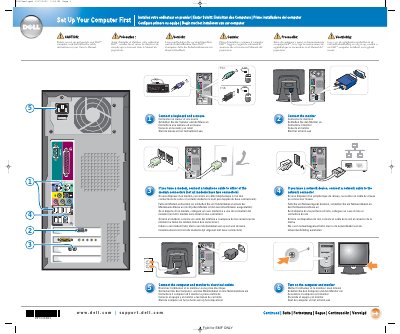
This guide shows the basic steps for setting up a Dell computer, including connecting a keyboard, mouse, monitor, modem, network cable, and power.
It also points to the Owner's Manual for additional setup instructions and explains how to access Dell support and educational tools.
Connect a keyboard and a mouse to the computer.
See your Owner's Manual for additional setup instructions, including how to connect a printer.
Double-click the Dell Solution Center icon on the Microsoft Windows desktop, or access Dell through support.dell.com.
Connect your speakers to the optional sound card connectors and do not remove the cap.