
HP computer features include: optical drive covers (2), USB 2.0 ports (2), microphone port, headphone port, power button and light, hard drive activity light, optical drive eject buttons (2), 8-in-1 media card reader, power supply light, voltage selector switch, power port, network port and lights, USB 2.0 ports (2), USB 3.0 ports (4), HDMI port, VGA port, audio ports (3), expansion card slots (4), security cable slot, padlock rings, etc.
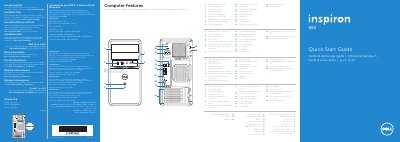
This quick start guide is for the Dell Inspiron 660 desktop computer. It identifies the computer's external features and ports and shows how to connect the keyboard, mouse, network cable, power cable, and display.
It also covers display connection options, completing Windows setup, enabling security, and getting started with Windows 8 and Dell support resources.
| Computer model | Dell Inspiron 660 |
|---|---|
| Regulatory model | D11M |
| Type | D11M002 |
| USB 2.0 ports (front) | 2 |
| USB 2.0 ports (rear) | 2 |
| USB 3.0 ports | 4 |
| Audio ports | 3 |
| Expansion card slots | 4 |
| Media-card reader | 8-in-1 |
| Optical-drive covers | 2 |
| Input voltage | 115/230 VAC |
| Input current (maximum) | 7.0 A/4.0 A or 6.0 A/2.1 A |
| Input frequency | 50 to 60 Hz |
The computer has four USB 3.0 ports.
The guide lists VGA, DVI, HDMI, and DisplayPort connections.
Connect the display to the connector on the discrete graphics card.
The regulatory model is D11M.