
OptiPlex 3050 Small Form Factor Quick Start Guide
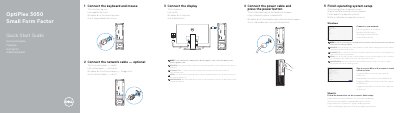
The Dell OptiPlex 3050 Small Form Factor quick start guide walks through connecting the keyboard and mouse, optional network cable, display, and power cable. It notes that if the computer was ordered with a discrete graphics card, the display should be connected to that card. The guide then covers finishing operating system setup for Windows or Ubuntu, connecting to a network, and signing in to a Microsoft account or creating a local account.
The second page describes locating Dell apps, including SupportAssist for checking and updating the computer, and lists the computer's ports and features. It identifies the optical drive and memory card reader as optional, and includes Dell support, contact, and regulatory information. The guide includes text in English, Danish, Finnish, Norwegian, and Swedish.
| Computer model | OptiPlex 3050 SFF |
|---|---|
| Optical drive | Optional |
| Memory card reader | Optional |
| VGA port | Optional |
| USB 2.0 ports | Supports Smart Power On |
| Port 5 | HDMI port |
| Port 7 | DisplayPort |
| Port 17 | Network port |
Connect the display to the display port, unless the computer was ordered with a discrete graphics card; in that case, connect the display to the discrete graphics card.
Press the power button.
SupportAssist checks and updates the computer.
Dell lists Dell.com/support, Dell.com/support/manuals, and Dell.com/support/windows.