
OptiPlex 5250 All-in-One Quick Start Guide
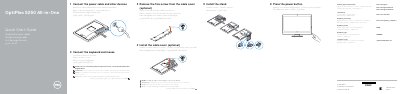
This document serves as a Quick Start Guide for the Dell OptiPlex 5250 All-in-One computer. It outlines the initial setup steps, such as connecting the power cable, attaching the optional cable cover, and linking external devices like keyboards, mice, and displays. The guide also covers installing the optional stand and pressing the power button to turn on the device.
Yes, the optical drive is listed as optional.
Yes, a USB 3.0 port with PowerShare is listed among the features.
The computer model is OptiPlex 5250 All-in-One.
No, securing the cable cover with the Torx screw is optional.