
Dell Latitude 12 5000 Series E5270 Laptop Quick Start Guide

Dell Latitude 12 5000 Series E5270 Laptop Quick Start Guide.
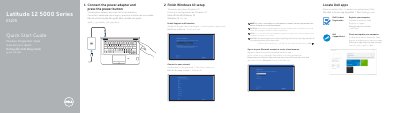

Dell Latitude 12 5000 Series E5270 Laptop Quick Start Guide - cover page
Brand
DELL
Category
Laptops
Document type
Quick Start Guide
Language
English
Pages
2
File format
PDF
File size
476 KB
Published
25 November, 2023
Updated
25 November, 2023
Model
E5270
MD5 checksum
CE271F8F0AF1EFC38D59AA948B1FEB0F

About this manual

This quick start guide helps set up the Dell Latitude 12 5000 Series E5270 laptop, including connecting the power adapter, registering the product, using Dell SupportAssist, finishing Windows 10 setup, enabling support and protection, and connecting to a network.

It also identifies the laptop's features and connectors and provides product support, manual, regulatory, and safety information.

What's inside

  • Connect the power adapter and press the power button
  • Locate Dell apps
  • Product Registration
  • Dell SupportAssist
  • Finish Windows 10 setup
  • Enable Support and Protection
  • Connect to your network
  • Features
  • Product support and manuals
  • Regulatory and safety

Specifications

Regulatory modelP23T
Regulatory typeP23T001
Computer modelLatitude 12-E5270

Frequently asked questions

What is the first setup step?

Connect the power adapter and press the power button.

How do I register the computer?

Use Product Registration to register your computer.

Where can I find product support and manuals?

Visit Dell.com/support, Dell.com/support/manuals, and Dell.com/support/windows.

What should I do when connecting to a secured wireless network?

Enter the password for the wireless network access when prompted.

Download PDF (476 KB)

More DELL Manuals


View all DELL manuals →