
The Dell Inspiron 3650 Quick Start Guide provides instructions on how to connect the power cable, keyboard and mouse, display, and network cable.
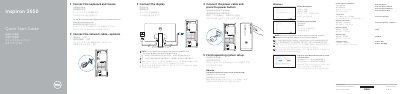
This guide helps you set up your Dell Inspiron 3650 by connecting power, peripherals, and display. It includes instructions for operating system setup, network connection, and account creation. The guide also covers hardware ports and Dell support resources.
The guide is multilingual, with text in Chinese, Japanese, Korean, and English. It provides step-by-step instructions for connecting cables, enabling updates, and registering your computer. This manual is written in Chinese.
Connect the display to the discrete graphics card if you have one, or to the integrated graphics port if not.
Available ports include USB 3.0 (2), USB 2.0 (4), VGA, HDMI, audio, network, and service tag label.
Register your computer through Dell’s support website to access updates and support.