
The Dell Latitude 14 3000 Series Laptop Quick Start Guide
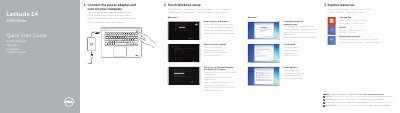
This Dell Latitude 14 3000 Series Quick Start Guide provides setup instructions in English, Danish, Finnish, Norwegian, and Swedish. It covers connecting the power adapter, turning on the computer, finishing Windows setup for Windows 8 or Windows 7, enabling security and updates, connecting to a network, and signing in to a Microsoft account or creating a local account.
The guide lists product features including microphones, camera, power button, VGA, network, HDMI, USB, headset, touchpad, Finger print reader, speakers, status lights, memory-card reader, power connector, security-cable slot, and service-tag label. It also provides links to Dell product support, manuals, contact information, and regulatory compliance pages.
| USB 3.0 connectors | 2 |
|---|---|
| USB 2.0 connector | 1 |
| Finger print reader | optional |
| Computer model | Latitude 14-3450 |
Connect the power adapter and turn on your computer.
See the Owner’s Manual at dell.com/support/manuals.
Yes, the finger print reader is optional.
The computer model is Latitude 14-3450.