
This guide describes how to quickly get started with your Dell computer.
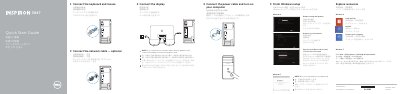
This guide helps you connect peripherals and set up your Dell Inspiron 3847 computer. It includes instructions for connecting keyboard, mouse, display, and network cables. It also covers Windows setup, account creation, and accessing Dell support resources.
The guide features a diagram of the computer’s ports and components, including USB, HDMI, VGA, audio, and power connections. It provides tips for enabling security and updates, and directs users to Dell’s support website for additional resources. This manual is written in Chinese.
Connect the display to the discrete graphics card.
Do not use the @ symbol in your password.
The computer has 2 USB 3.0 ports.
Yes, connecting the network cable is optional.