
OptiPlex 3050 Tower Quick Start Guide
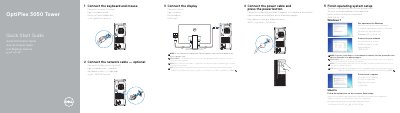
This Quick Start Guide covers the initial setup of the Dell OptiPlex 3050 Tower. It includes step-by-step instructions for connecting the keyboard, mouse, network cable, and display, noting that the display should connect to a discrete graphics card if ordered with one. It also details how to connect the power cable, press the power button, and complete the operating system setup.
| Regulatory model | D18M |
|---|---|
| Regulatory type | D18M003 |
| Computer model | OptiPlex 3050 Tower |
Connect the display to the discrete graphics card.
Enter the password for the wireless network access when prompted.