
Dell Optiplex 3020 Quick Start Guide

The Dell Quick Start Guide provides step-by-step instructions on how to connect and set up your Dell computer.
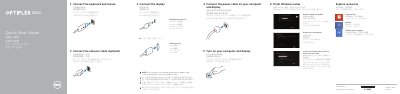

Dell Optiplex 3020 Quick Start Guide - cover page
Brand
DELL
Category
Desktops
Document type
Quick Start Guide
Language
Chinese
Pages
2
File format
PDF
File size
410 KB
Published
25 November, 2023
Updated
25 November, 2023
MD5 checksum
49CBB62AB4EEB25D51C7AD36D69C048D

About this manual

This guide helps you connect peripherals and set up your Dell Optiplex 3020 computer. It includes steps to connect keyboard, mouse, display, and network cables. You’ll also configure Windows, enable updates, and log in to your Microsoft account. The guide features diagrams of ports and connectors for easy reference.

For support, visit dell.com/support. The guide covers regulatory compliance and safety information for the Optiplex 3020 SFF and MT models. This manual is written in Chinese.

What's inside

  • Connect Keyboard and Mouse
  • Connect Network Cable
  • Connect Power Cables
  • Connect Display
  • Finish Windows Setup
  • Enable Security and Updates
  • Log In to Microsoft Account
  • Connect to Network
  • Explore Resources
  • Register Your Computer

Frequently asked questions

What should I do if my computer came with a discrete graphics card?

Connect the display to the discrete graphics card.

What should I connect first during setup?

Connect the keyboard and mouse.

What account options are listed for finishing Windows setup?

Log in to your Microsoft account or create a local account.

Download PDF (410 KB)

More DELL Manuals


View all DELL manuals →