
The Dell Precision 7720 laptop quick start guide.
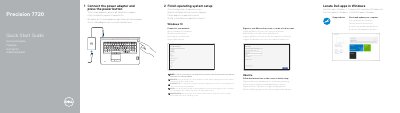
This quick start guide covers initial setup of the Dell Precision 7720 laptop. It lists steps such as connecting the power adapter, completing operating system setup, connecting to a network, signing in to a Microsoft account or creating a local account, locating Dell apps in Windows, and using SupportAssist to check and update the computer.
The guide also includes a numbered features list identifying ports and components such as USB 3.0 ports with PowerShare, Mini DisplayPort, HDMI port, Thunderbolt 3 over Type-C port, SD card reader, fingerprint reader (optional), and E-Dock connector. It provides product support, manual, regulatory, and contact information, including regulatory model P29E and regulatory type P29E002.
| Regulatory model | P29E |
|---|---|
| Regulatory type | P29E002 |
| Computer model | Precision 7720 |
Connect the power adapter and press the power button.
Enter the password for the wireless network access when prompted.
It checks and updates the computer.
Follow the instructions on the screen to finish setup.