
The Dell Vostro 3650/3653 Quick Start Guide provides instructions on how to connect the keyboard and mouse, connect the network cable, connect the display, and connect the power cable and press the power button.
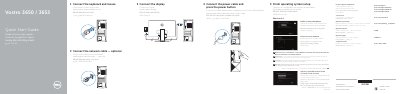
The Dell Vostro 3650/3653 Quick Start Guide gives connection instructions for the keyboard and mouse, network cable, display, and power cable, followed by pressing the power button. It then covers finishing operating system setup for Windows 8.1, Windows 7, and Ubuntu, with notes about connecting to a secured wireless network and signing in or setting a password.
The guide includes a numbered features list for the computer, covering items such as the optical drive, power button, VGA, HDMI, USB 2.0 and USB 3.0 connectors, network connector, expansion-card slots, and security-cable slot. It also shows how to locate Dell apps in Windows 8.1, including Register My Device, Dell Backup and Recovery, Dell Data Protection | Protected Workspace, and SupportAssist.
| Computer model | Vostro 3650 / 3653 |
|---|---|
| Regulatory model | D19M |
| Regulatory type | D19M002 |
| Memory-card reader | Only for Vostro 3650 |
Connect the keyboard and mouse.
Follow the instructions on the screen to finish setup.
The memory-card reader is only for the Vostro 3650.
It lists Dell.com/support and Dell.com/support/manuals.