
The Dell OptiPlex 7020 Quick Start Guide provides information on how to use the Dell OptiPlex 7020 computer.
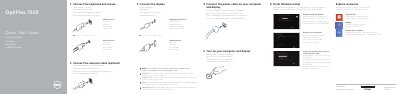
This guide shows how to set up a Dell OptiPlex 7020 desktop. It covers connecting the keyboard, mouse, display, optional network cable, and power cables, then turning on the computer and display and completing Windows setup, including security, updates, network connection, and account sign-in.
The second page lists front and rear features for the OptiPlex 7020 MT and SFF models, including power controls, drive and diagnostic indicators, USB, DisplayPort, VGA, audio, network, serial, and security connectors. It also provides Dell support, regulatory, and safety information.
| Computer models | OptiPlex 7020 MT and OptiPlex 7020 SFF |
|---|---|
| Regulatory model | D12M (MT), D13M (SFF) |
| Regulatory type | D12M001 (MT), D13M001 (SFF) |
| Display connectors | DisplayPort and VGA |
| USB connectors | USB 2.0 and USB 3.0 |
| Keyboard and mouse connectors | USB or PS/2 |
| Printed in | Poland, 2014-04 |
The guide identifies DisplayPort and VGA connectors. If the computer has a discrete graphics card, connect the display to that card.
Turn on the computer and the display, then finish Windows setup.
Connect the network cable as an optional step, and connect to your network during Windows setup.
Support and manuals are available at dell.com/support, with Windows help at dell.com/windows8.