
Dell Inspiron 15-5555 Laptop Quick Start Guide

Inspiron 15-5555 Laptop Quick Start Guide.
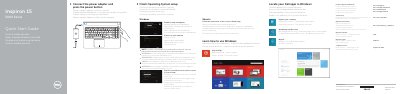

Dell Inspiron 15-5555 Laptop Quick Start Guide - cover page
Brand
DELL
Category
Laptops
Document type
Quick Start Guide
Language
English
Pages
2
File format
PDF
File size
495 KB
Published
25 November, 2023
Updated
25 November, 2023
MD5 checksum
A5D7EF41C0D29AE333E9F11A7AEB4B03

About this manual

This guide provides step-by-step instructions for setting up the Dell Inspiron 15-5555 laptop, including connecting the power adapter, completing operating system setup, connecting to a network, and signing in to a Microsoft or local account. It also covers Ubuntu setup and locating Dell applications in Windows.

The document illustrates the laptop's features with a labeled diagram showing ports, buttons, and indicators, and lists keyboard shortcut keys for audio, brightness, display, wireless, and other functions. Regulatory information and support contacts are also included.

What's inside

  • Initial Setup
  • Operating System Setup
  • Network Connection
  • Account Setup
  • Ubuntu Setup
  • Windows Help
  • Dell Applications
  • Features
  • Shortcut Keys

Frequently asked questions

How do I start the Dell Inspiron 15-5555 for the first time?

Connect the power adapter and press the power button.

Where is the regulatory label located on the laptop?

The regulatory label is located in the battery bay.

How do I connect to a secured wireless network during setup?

Select your network and enter the password when prompted.

Download PDF (495 KB)

More DELL Manuals


View all DELL manuals →