
This guide describes how to finish Windows setup.
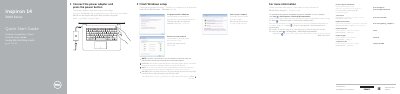
The Dell Inspiron 14 3000 Series (14-3458) Quick Start Guide explains the initial Windows setup. It shows how to connect the power adapter, press the power button, connect to a network, and set a Windows password.
The guide also lists computer features, including the camera, power-adapter port, network port, HDMI port, USB ports, media-card reader, headset port, battery, and security-cable slot. It identifies shortcut keys and points to Dell support, regulatory, and contact pages.
| USB 3.0 port | 1 |
|---|---|
| USB 2.0 ports | 2 |
| HDMI port | 1 |
| Network port | 1 |
| Media-card reader | 1 |
| Headset port | 1 |
Connect the power adapter and press the power button.
Enter the password for the wireless network access when prompted.
Click Start → All Programs → Dell Help Documentation.
It has two USB 2.0 ports.