
The Dell Latitude 13 Quick Start Guide provides information on how to set up and use the Dell Latitude 13 laptop.
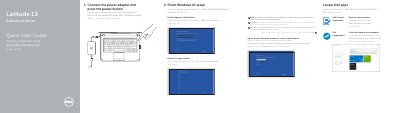
This is Dell's quick start guide for the Latitude 13 notebook in the Education Series. The computer model printed on the back page is Latitude-3350, with regulatory model P47G and regulatory type P47G002. The guide presents the setup steps with short instructions in English, Indonesian, Vietnamese and Arabic.
The first page walks through connecting the power adapter and pressing the power button, finishing Windows 10 setup, enabling Support and Protection, connecting to a network, signing in to a Microsoft account or creating a local account, and locating Dell apps such as Product Registration and Dell SupportAssist. The second page lists the numbered features of the notebook, from the microphone and camera to the connectors and status lights, and gives Dell support, manual, contact and regulatory web addresses.
| Computer model | Latitude-3350 |
|---|---|
| Regulatory model | P47G |
| Regulatory type | P47G002 |
| Operating system | Windows 10 |
| Connectors listed | USB 3.0, Mini DisplayPort, HDMI, RJ45, headset, power, security-cable slot, SD-card reader |
Connect the power adapter and press the power button, then finish Windows 10 setup.
Enter the password for the wireless network access when prompted.
Dell lists product support and manuals at Dell.com/support and Dell.com/support/manuals.
It is available at Dell.com/regulatory_compliance.