
Inspiron 15-5552 Laptop Quick Start Guide
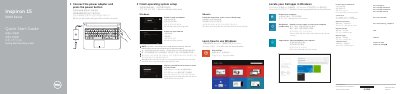
This is a Dell quick start guide for the Inspiron 15-5552 laptop. It explains connecting the power adapter and pressing the power button, finishing operating system setup, enabling security and updates, connecting to a network, signing in to a Microsoft account or creating a local account, and following Ubuntu setup instructions. It also covers learning to use Windows and locating Dell apps such as SupportAssist and Dell Backup and Recovery.
The guide lists laptop features including the microphone, camera, power-adapter port, HDMI port, USB 3.0 port, media-card reader, headset port, USB 2.0 ports, optical drive, security-cable slot, battery, service tag label, and battery-release latch. It also describes shortcut keys for audio, playback, display switching, search, brightness, Fn-key lock, wireless, and sleep.
| HDMI port | 1 |
|---|---|
| USB 3.0 port | 1 |
| Media-card reader | 1 |
| Headset port | 1 |
| USB 2.0 ports | 2 |
| Optical drive | 1 |
| Security-cable slot | 1 |
| Power button | 1 |
Connect the power adapter and press the power button.
Enter the password for the wireless network access when prompted.
Follow the instructions on the screen to finish setup.
See Specifications at dell.com/support.