
HP 3000 Series Thin Client HP 3040 Quick Start Guide
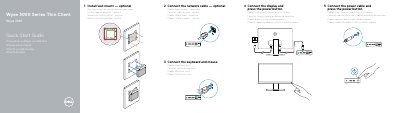
The guide provides step-by-step instructions for setting up the Wyse 3040 thin client, including optional wall mount installation, network cable connection, keyboard and mouse connection, display connection, and power cable connection.
It also lists the device's features such as power adapter input, DisplayPort, USB ports, network port, lock receptacle, power button, and headset jack, along with product support links and regulatory information.
| Power adapter input | +5/+12V |
|---|---|
| DisplayPort | 2x |
| USB 2.0 ports | 2x |
| Network port | 10/100/1000 Base-T |
| Lock receptacle | Present |
| Power button and light | Present |
| USB 3.0 port | 1x |
| USB 2.0 port (additional) | 1x |
| Universal headset jack | Present |
| Regulatory model | N10D |
| Regulatory type | N10D001 |
Connect the network cable to the network port (10/100/1000 Base-T) on the device.
The Wyse 3040 includes two DisplayPorts, two USB 2.0 ports, one USB 3.0 port, a network port (10/100/1000 Base-T), a lock receptacle, a power button with light, and a universal headset jack.
Visit Dell.com/support or Dell.com/support/manuals for product support and manuals.
The regulatory model number is N10D.