
Dell Precision Mobile Workstation 7000 Series Quick Start Guide

The Dell Precision Mobile Workstation 7000 Series Quick Start Guide introduces the features and specifications of the 7000 series workstations.
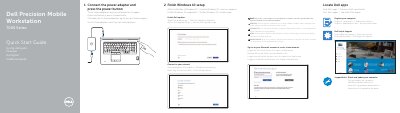

Dell Precision Mobile Workstation 7000 Series Quick Start Guide - cover page
Brand
DELL
Document type
Quick Start Guide
Language
English
Pages
2
File format
PDF
File size
303 KB
Published
25 November, 2023
Updated
25 November, 2023
MD5 checksum
A68297DDB144265CFB8B1D9A0B21C8AC

About this manual

This guide helps you set up your Dell Precision 7710 mobile workstation quickly. It covers connecting power, checking for updates, registering your device, and connecting to a network. The guide also lists all ports and features, including optional components like camera, fingerprint reader, and USB-C connector.

The guide is multilingual, providing instructions in multiple languages including English, Danish, Finnish, Norwegian, Swedish, and Chinese. It includes steps for Windows 10 setup, enabling Dell updates, and signing in to Microsoft account or creating a local account.

What's inside

  • Connect the power adapter and press the power button
  • SupportAssist Check and update your computer
  • Register your computer
  • Dell Help & Support
  • Locate Dell apps
  • Finish Windows 10 setup
  • Enable Dell updates
  • Connect to your network
  • Sign in to your Microsoft account or create a local account
  • Features

Frequently asked questions

How do you start the Dell Precision 7710 for the first time?

Connect the power adapter and press the power button.

What should you do after turning on the Dell Precision 7710?

Finish Windows 10 setup.

Download PDF (303 KB)

More DELL Manuals


View all DELL manuals →